
How it works

From your files to what you’re owed

Upload the documents you already have, confirm three things in about 10 minutes, then see what every main contractor owes you and act before notice dates.

No setup call and nothing to replace.

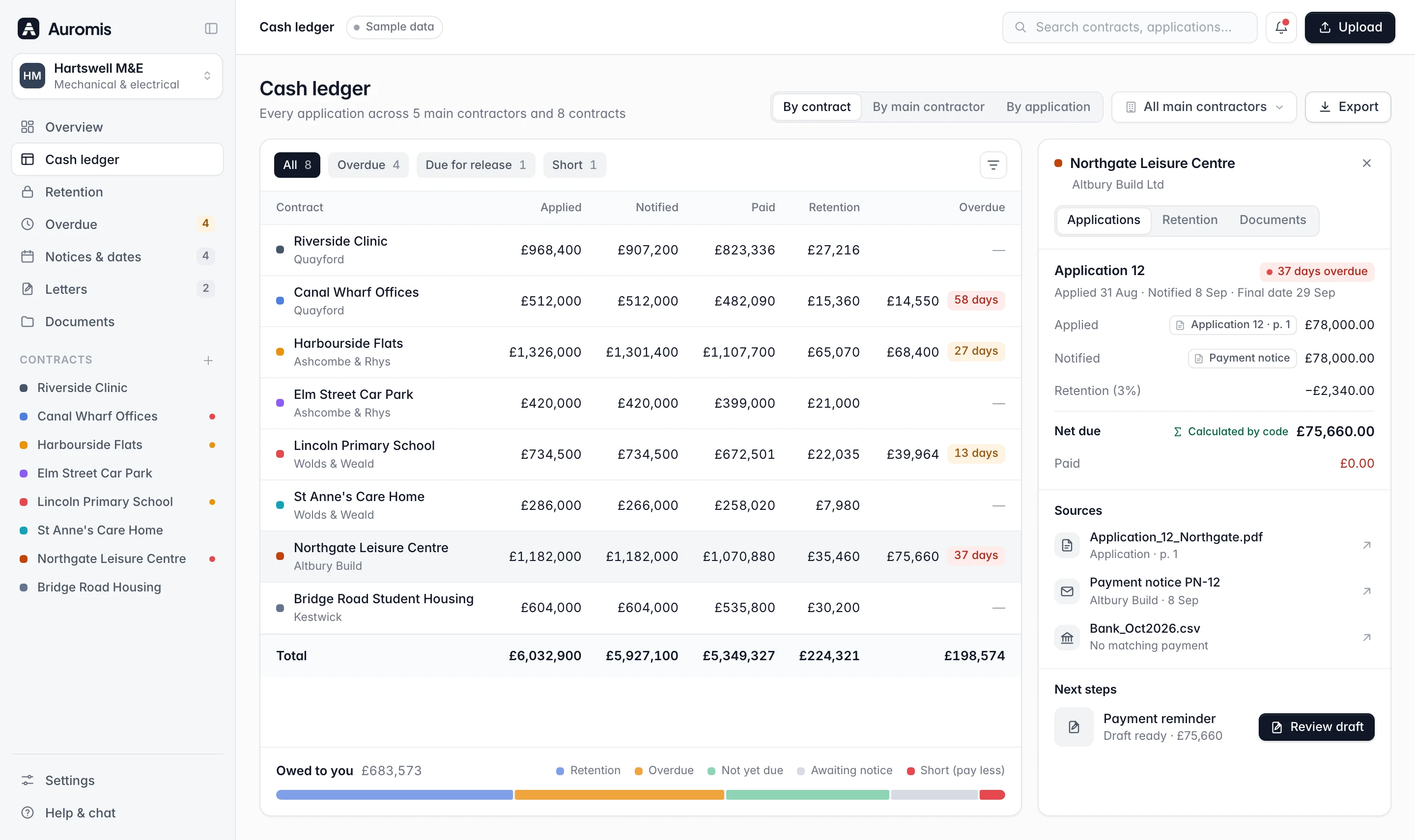
Cash ledger with applied, notified, paid, retention and overdue amounts for eight contracts, and a side panel tracing Application 12 to its source documents
Three steps

Upload, confirm, act

Auromis does the reading and the maths. You check what matters and decide what goes out.

Upload what you have

Drag and drop your last applications for payment, the payment and pay less notices you received, remittances, bank statements and CIS deduction statements. Add an aged debtor report from Xero, Sage or QuickBooks if you have one.

  • Applications for payment as Excel or PDF

  • Payment notices, pay less notices and remittances

  • Bank and CIS statements, aged debtor reports
What you can upload
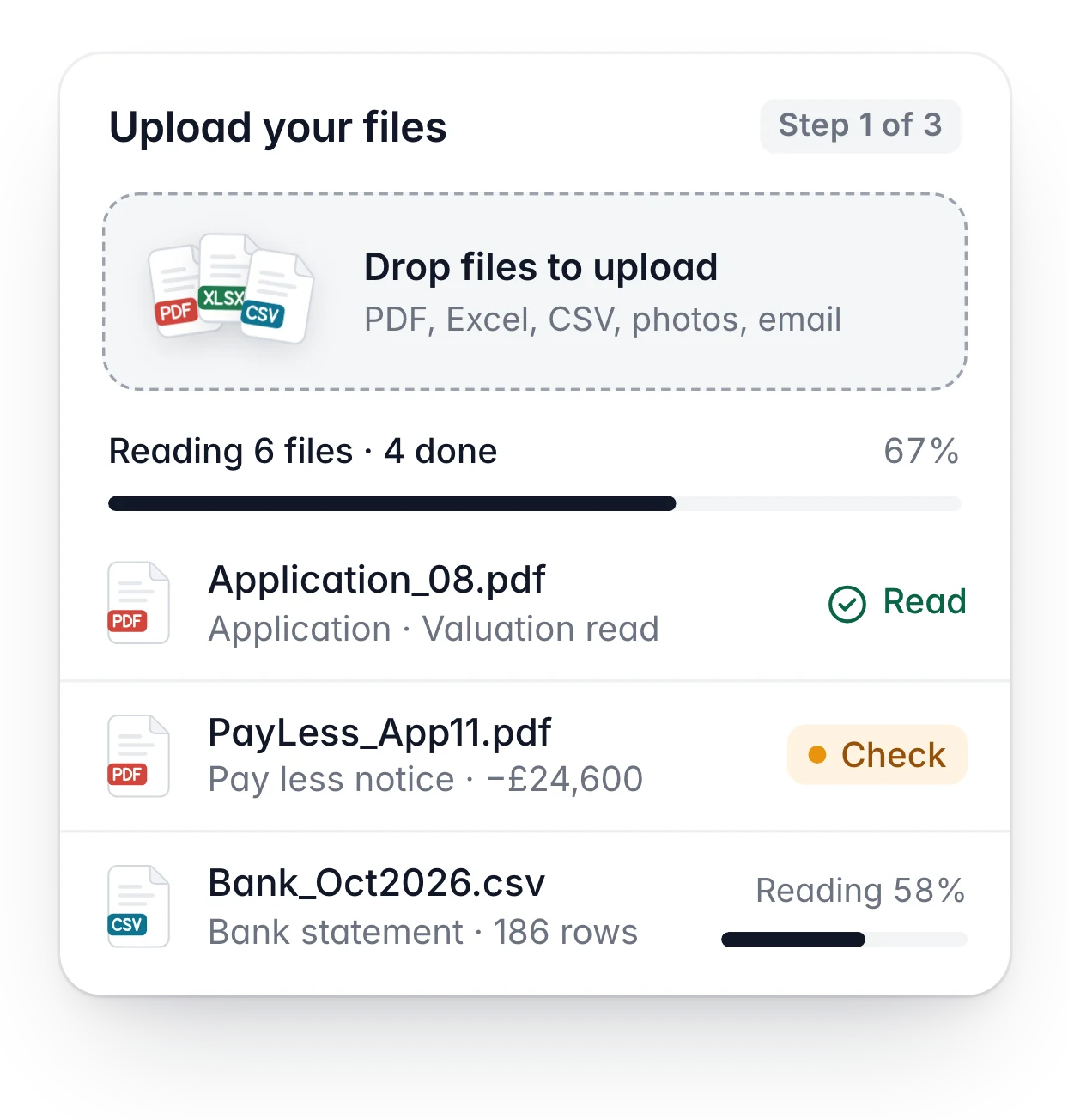
Upload card: files dropped in, 6 files being read with 4 done, including a pay less notice flagged to check

Confirm in about 10 minutes

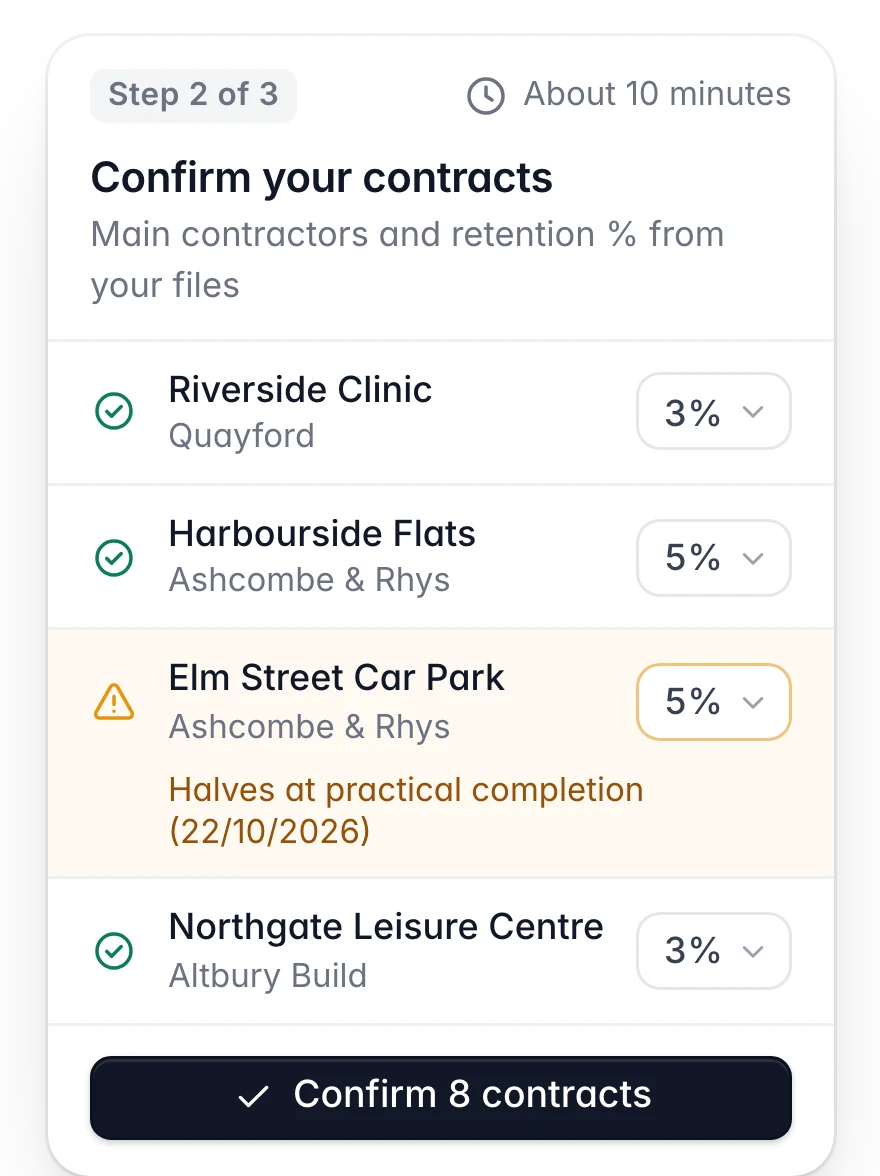
Auromis reads each contract and what was applied for, notified, paid and held back on each line. You check three things on one screen: your contracts, your main contractors and the retention % per contract.

  • Every number links to its source document

  • Unsure reads are flagged for you to check

  • Totals are calculated by code, not by AI
How we check numbers
Confirm screen: contracts with their main contractor and retention %, one flagged where retention halves at practical completion, and a Confirm 8 contracts button

Act before the deadline

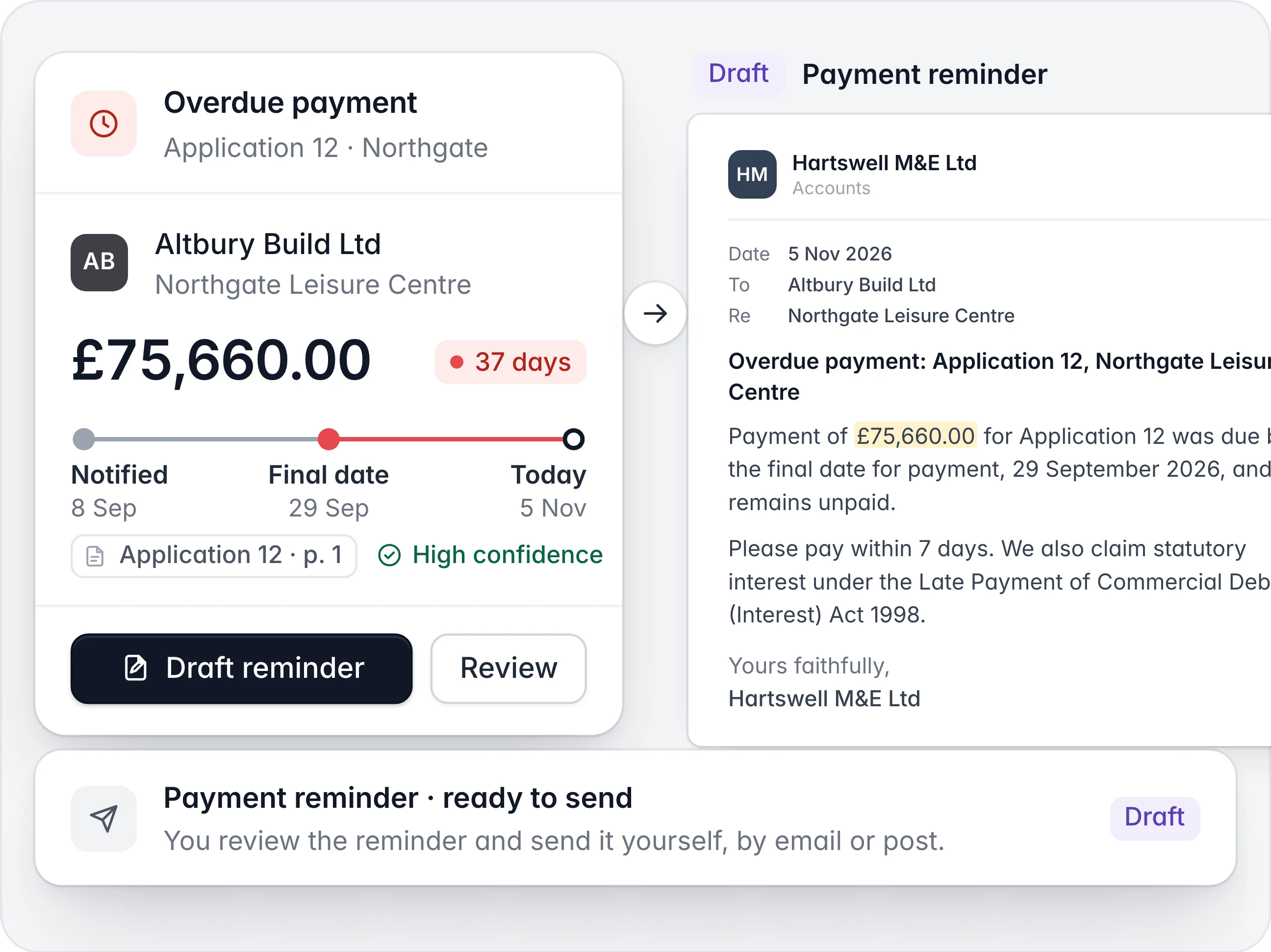
See both halves of every retention, short payments, unpaid variations and every payment and pay less notice date on one timeline, with an alert 7 days before each. Letters come pre-filled; you decide what goes out.

  • Alerts 7 days before each notice date

  • Payment reminders with late-payment interest

  • Not legal advice: each date shows its source
See every module
Overdue payment alert for Application 12 on Northgate Leisure Centre next to the drafted payment reminder claiming statutory interest

What you can upload

Files you already have. We never log in to, scrape or submit to contractor portals.

  • Applications for payment

    Your applications as Excel or PDF, including JCT and NEC valuations.

  • Payment and pay less notices

    The notices your main contractors sent, read for amounts and dates.

  • Remittances and bank statements

    Payment remittances and bank statement exports, matched to each application.

  • CIS deduction statements

    The deduction statements your main contractors send, read alongside your applications and remittances.

  • Aged debtor reports

    From Xero, Sage or QuickBooks, if you have them.

What happens to the numbers

AI reads. Code counts. You decide.

  • AI reads every line

    Contracts, main contractors and the amounts applied for, notified, paid and retained, each with a confidence score.

  • A source behind every number

    Click any figure to see the document and line it came from.

  • Code does the maths

    Totals, retention and interest are calculated by plain code, never by the AI model.

  • You confirm what matters

    Your contracts, main contractors and retention % per contract are yours to check before your report is built.

  • Rules as data, with sources

    Notice dates follow the Construction Act and your contract, with the section shown next to each date.

  • Nothing sent without you

    Letters are drafts. You review them and send them yourself.

FAQ

Questions about setup

Files, timing and what happens when a document is hard to read.

  • About 10 minutes. Upload your files, confirm your contracts, main contractors and retention %, and you’re done.

Still have a question? Email support@auromis.com.

See what your main contractors owe you. Free.

Up to 3 active contracts on the Free plan, no card needed. No sales call. No demo.