
How it works

From your files to what you’re owed

Upload the documents you already have, confirm three things in about 10 minutes, then see what every GC owes you and act before deadlines.

No setup call and nothing to replace.

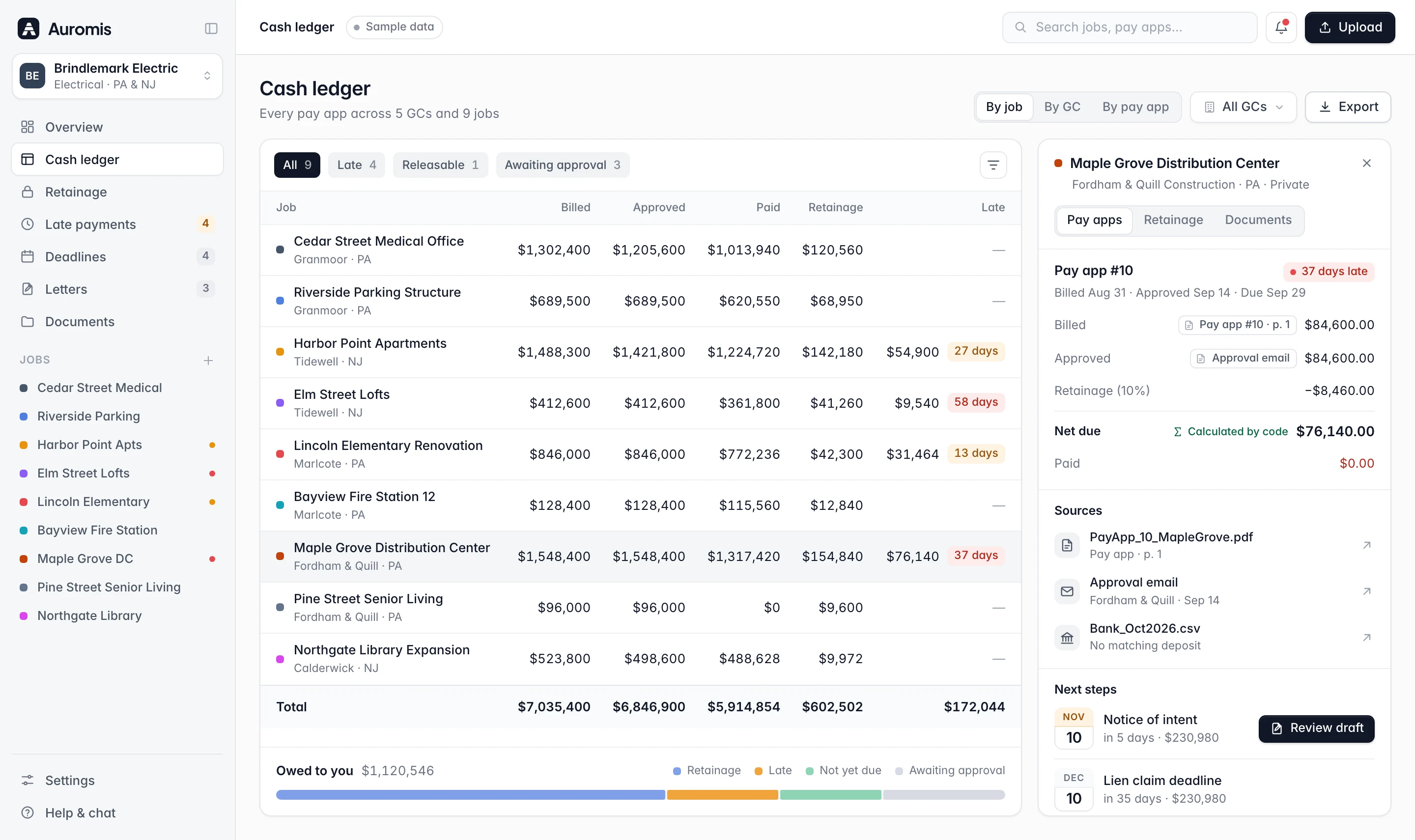
Cash ledger with billed, approved, paid, retainage and late amounts for nine jobs, and a side panel tracing pay app #10 to its source documents
Three steps

Upload, confirm, act

Auromis does the reading and the math. You check what matters and decide what goes out.

Upload what you have

Drag and drop last month’s pay apps, schedules of values, portal exports, remittances and bank statements. Add a QuickBooks or Sage A/R export if you have one. No setup call, no portal logins.

  • Pay apps (application + continuation sheet) as PDF or Excel

  • Textura CSV and GCPay Excel or PDF downloads

  • Pay-app PDFs from Procore, remittances and A/R exports
What you can upload
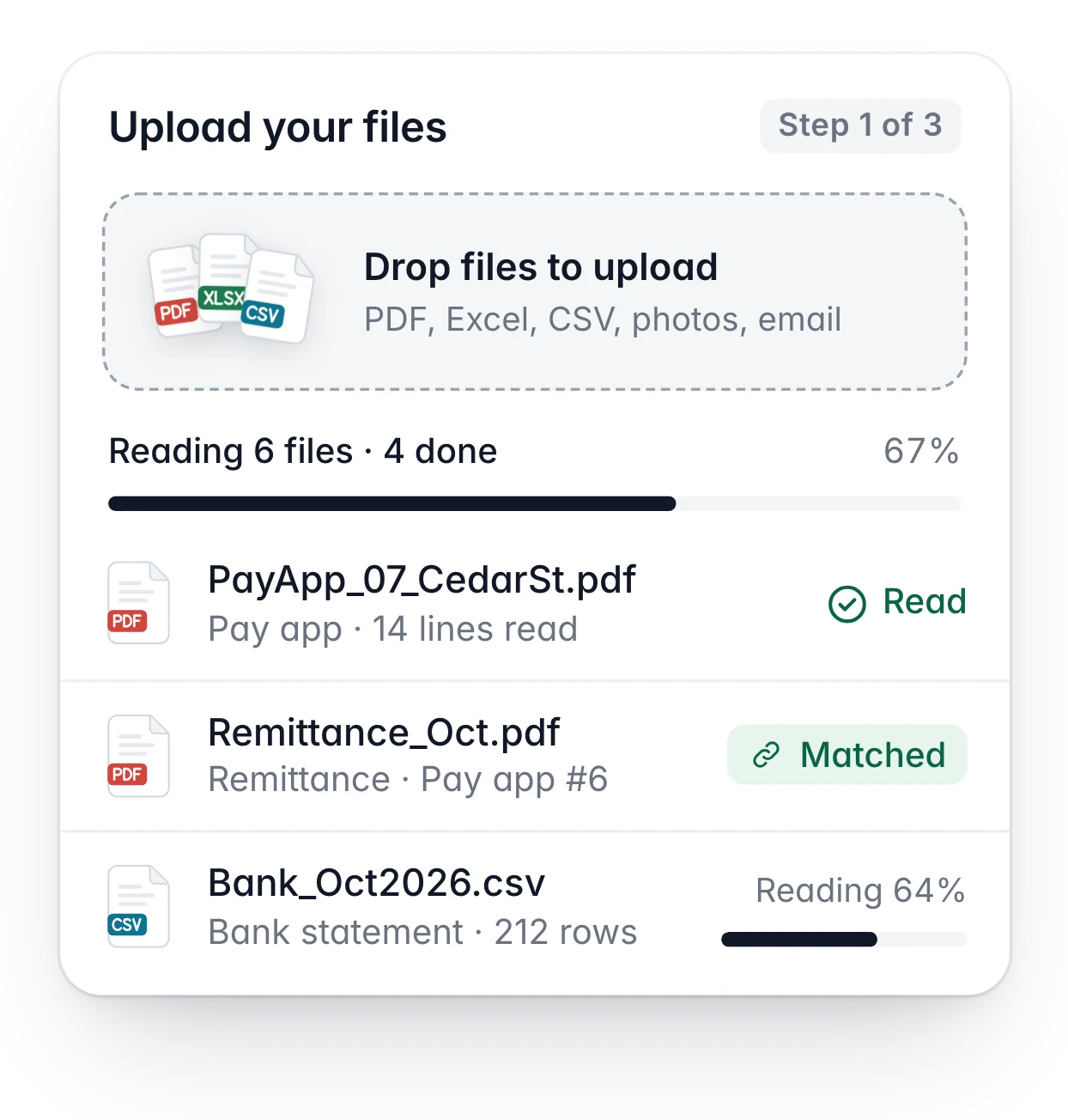
Upload card: files dropped in, 6 files being read with 4 done, the first ones marked read or matched

Confirm in about 10 minutes

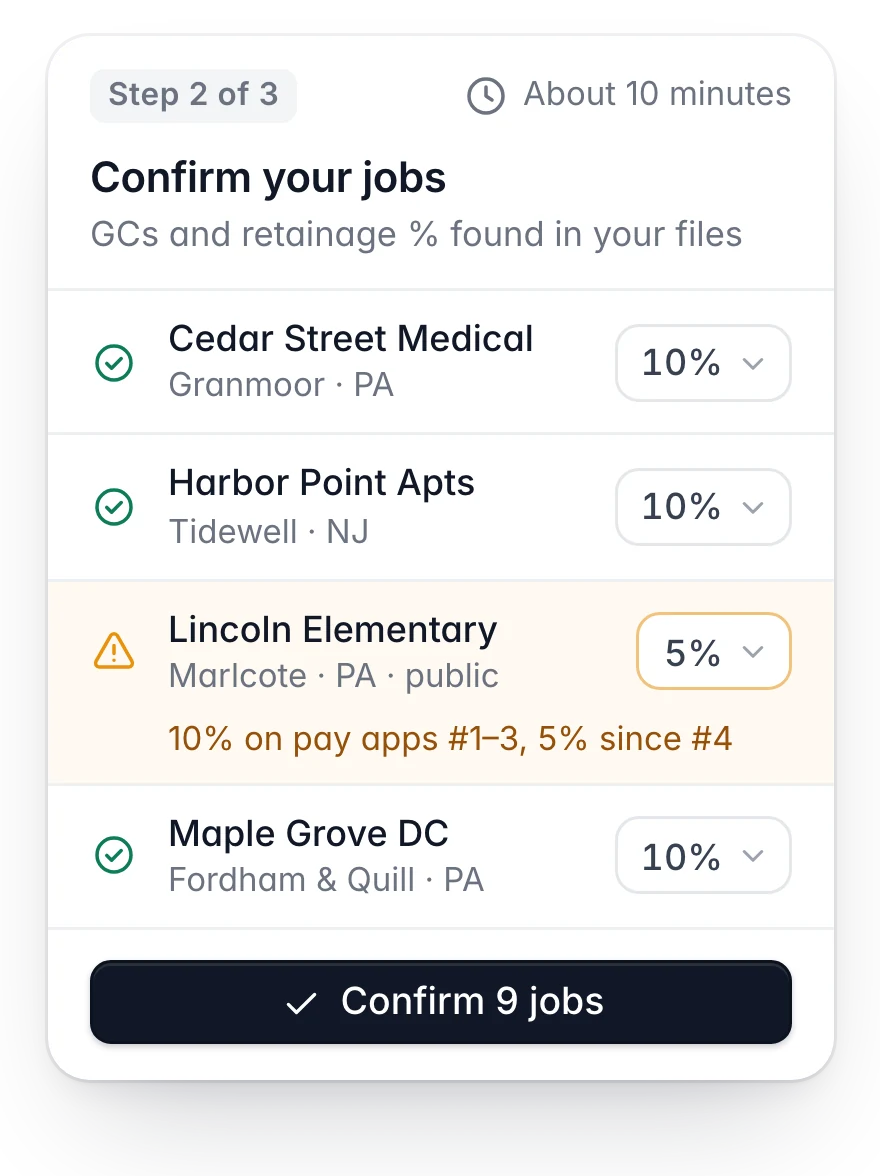
Auromis reads jobs, GCs, contract values, billed to date, retainage held, change orders and payment dates. On one screen you confirm your jobs, your GCs and the retainage % per job, and pick each job’s state.

  • Every number links to its source document

  • Unsure reads are flagged for you to check

  • Totals are added up by code, not by AI
How we check numbers
Confirm screen: jobs with their GC, state and retainage percentage, one rate flagged to check, and a Confirm 9 jobs button

Act before the deadline

See retainage and its release dates, late payments, unbilled change orders and every notice, lien and bond-claim date on one timeline, with an alert 7 days before each. Letters come pre-filled; you decide what goes out.

  • Alerts by email, or by text if you opt in

  • Release requests, NOIs and change-order summaries

  • Not legal advice: each date shows its statute
See every module
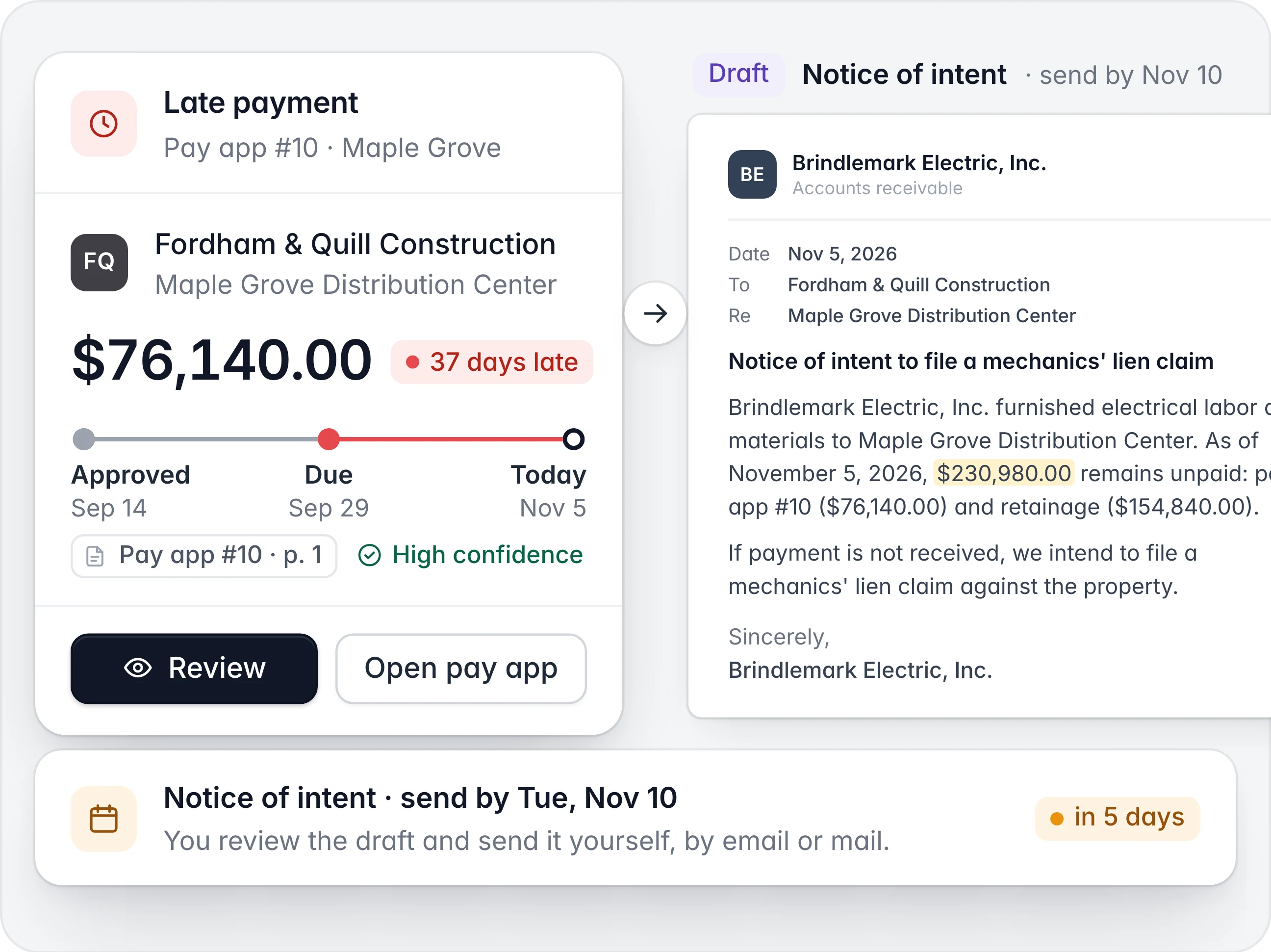
Late payment alert for pay app #10 on Maple Grove Distribution Center next to the drafted notice of intent, to send by Tuesday, November 10

What you can upload

Files you already have. We never log in to, scrape or submit to GC portals.

  • Pay apps and SOVs

    Pay applications (application + continuation sheet) as PDF or Excel, and your schedules of values.

  • Portal exports

    Textura CSV exports and GCPay Excel or PDF downloads.

  • PDFs from Procore

    The pay-app PDFs you submitted and the payment records you received.

  • Remittances and bank statements

    Payment remittances from your GCs and bank statement exports, matched to each pay app.

  • A/R exports

    Aged receivables from QuickBooks or Sage, if you have them.

What happens to the numbers

AI reads. Code counts. You decide.

  • AI reads every line

    Jobs, GCs, contract values, billed to date, retainage held, change orders and payment dates, each with a confidence score.

  • A source behind every number

    Click any figure to see the document and line it came from.

  • Code does the math

    Totals, retainage and interest are computed by plain code, never by the AI model.

  • You confirm what matters

    Your jobs, GCs and retainage % per job are yours to check before your report is built.

  • State rules as data

    Deadlines come from each state’s rules, stored as data, with the statute shown next to each date.

  • Nothing sent without you

    Letters are drafts. You review them and send them yourself.

FAQ

Questions about setup

Files, timing and what happens when a document is hard to read.

  • About 10 minutes. Upload your files, confirm your jobs, GCs and retainage %, and you’re done.

Still have a question? Email support@auromis.com.

See what your GCs owe you. Free.

Up to 3 active jobs on the Free plan, no card needed. No sales call. No demo.